
Article Highlights
- Smart Launcher 6 offers powerful organization and customization for everyday Android users.
- Niagara Launcher delivers a clean one-handed experience that works especially well on large phones.
- Lawnchair brings the Pixel Launcher experience to more Android devices with additional customization.
- Nova Launcher remains a major option for users who want deep control over their home screen.
- Kvaesitso, KISS, Olauncher, and Microsoft Launcher offer distinct alternatives for search, simplicity, distraction reduction, and productivity.
Your Android phone does not have to look or behave exactly the way it did when you first switched it on. The default launcher is usually good enough, but it may not give you the level of control you want over icons, widgets, app organization, gestures, search, or the overall home screen experience.
That is where the Best Android Launchers come in. A good launcher can make a phone feel cleaner, faster, easier to use, or completely different without requiring root access or a custom ROM.
For this Tech Insider guide, the focus is not simply on how many customization options a launcher offers. The more important question is whether those features actually make your phone better to use every day.
After looking at the current launcher landscape in 2026, these are the Best Android Launchers worth trying, with each one aimed at a different type of Android user.
1: Smart Launcher 6
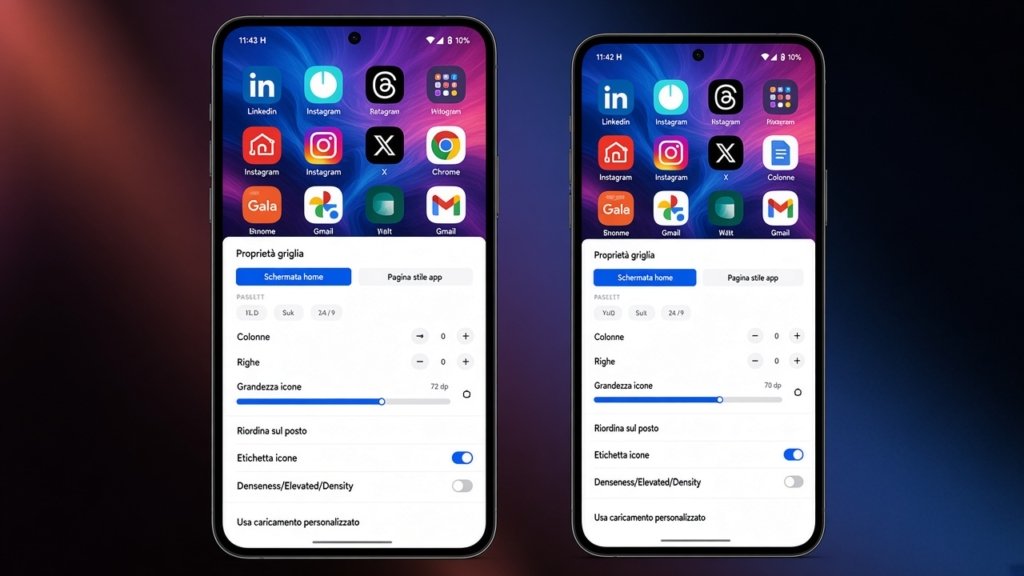
Smart Launcher 6 is one of the Best Android Launchers for people who want customization without spending hours arranging their home screen.
Its biggest advantage is automatic app organization. Instead of leaving you with a traditional grid that you have to maintain manually, Smart Launcher places apps into categories, making a large app collection easier to navigate. Its current feature set also includes adaptable grids, customizable docks, gestures, search tools, widgets, themes, and support for large screens.
The launcher has continued to receive meaningful updates during 2026. Version 6.6 introduced changes such as a more flexible dock, improved gestures, separate layouts for foldables and landscape mode, stronger search capabilities, and additional customization options.
Smart Launcher is particularly interesting if you frequently install new apps. The less time you spend maintaining folders and categories, the more useful the launcher becomes.
It is also a strong option for people who want their home screen to look coordinated. Smart Launcher can adapt parts of its visual design to the colors of your wallpaper, while giving you control over icons, fonts, widgets, and other elements.
For someone who wants a polished Android home screen without manually building everything from scratch, Smart Launcher 6 is one of the Best Android Launchers available in 2026.
2: Niagara Launcher for Minimalists
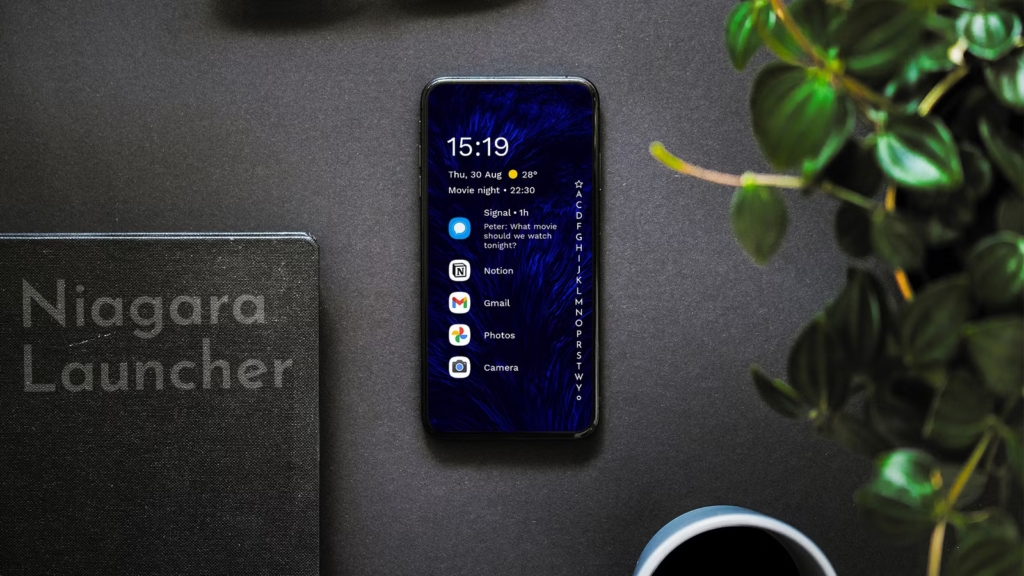
Niagara Launcher takes a completely different approach. Instead of filling the screen with rows of icons, folders, and widgets, it uses a compact list-based interface designed around quick access and one-handed use.
That makes Niagara one of the Best Android Launchers for people who find conventional home screens distracting or difficult to use on large phones.
The launcher places your apps in an accessible alphabetical arrangement, while allowing frequently used applications to remain prominent. Its design is especially practical on tall phones and foldable devices because a list can adapt more naturally to different screen shapes than a rigid grid.
Niagara also provides themes, icon customization, fonts, gestures, widget stacks, and other personalization tools. The free version is ad-free, while Niagara Pro adds more advanced customization and productivity features.
One important 2026 consideration is Android compatibility. Niagara now fully supports Android 8 and newer versions, while support for Android 5, Android 6, and Android 7 has been phased out.
If your ideal phone is one where you can find an app quickly without staring at a wall of icons, Niagara Launcher deserves a place among the Best Android Launchers.
3: Lawnchair for a Pixel-Style Experience
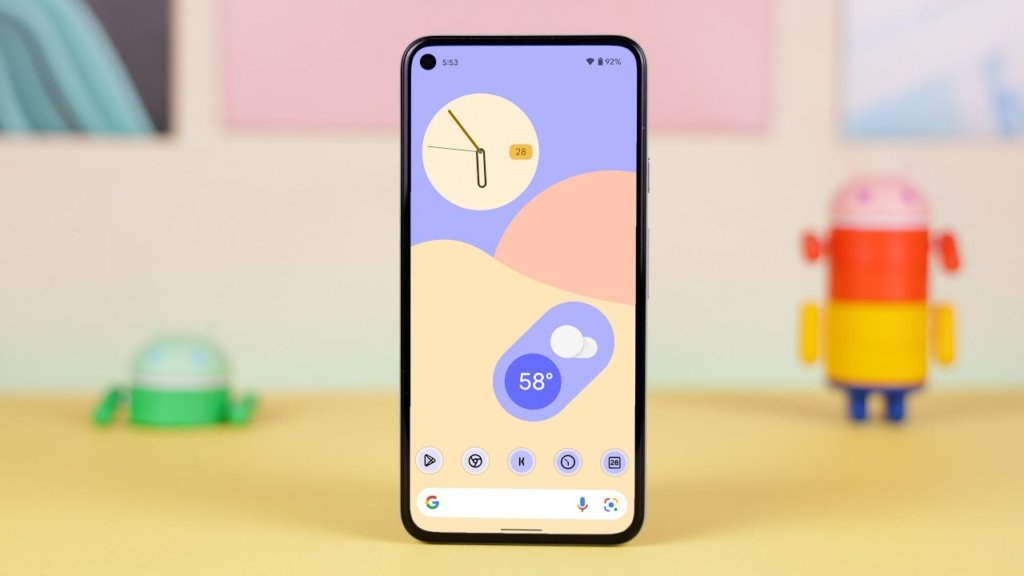
Lawnchair is an excellent choice if you like the clean appearance of Google’s Pixel Launcher but want more control over the experience.
The project describes itself as a more customizable version of Pixel Launcher, bringing a familiar Pixel-inspired design together with features such as Material You theming and additional customization. It is open source and does not require root access for its core launcher experience.
That combination makes Lawnchair one of the Best Android Launchers for Samsung, Xiaomi, Motorola, and other Android users who prefer the Pixel approach to home screen design.
The appeal is not about making your phone look radically different. Instead, Lawnchair works well when you want a cleaner interface while retaining control over icons, layouts, widgets, and other details.
There is also an important distinction between Lawnchair and some heavily modified Android launchers. Its open-source development model makes the project attractive to users who value transparency and community involvement. Advanced users can also explore QuickSwitch support, although that feature is not necessary for ordinary users.
If you want something close to stock Android without being locked into every decision Google makes, Lawnchair is among the Best Android Launchers to consider.
4: Nova Launcher For Deep Customization
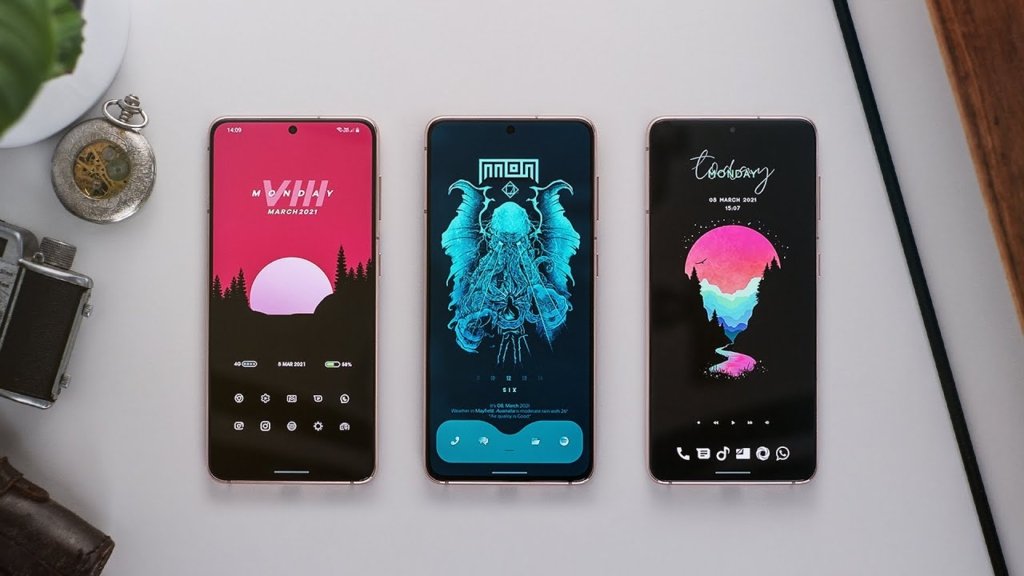
Nova Launcher has been one of the most recognizable names in Android customization for years, and it remains relevant in 2026. Its strength is control. Nova lets users customize the desktop, app drawer, dock, folders, icons, gestures, notification indicators, and other parts of the interface. It also supports backup and restoration of customized layouts, which can be valuable when moving between phones.
That flexibility is why Nova continues to appear whenever people discuss the Best Android Launchers. There is, however, an important development that prospective users should know about. In January 2026, Nova announced that Instabridge had acquired the launcher. The company said its immediate priorities were keeping Nova stable, compatible with modern Android, and actively maintained.
That means Nova’s future deserves to be watched rather than assumed. Its long history and extensive customization remain major strengths, but anyone choosing a launcher for the next several years should also consider how actively it is being developed.
For people who enjoy fine-tuning almost every part of their home screen, Nova is still one of the Best Android Launchers, but its changing ownership makes it sensible to keep an eye on future updates.
5: Kvaesitso For Search-Driven Users
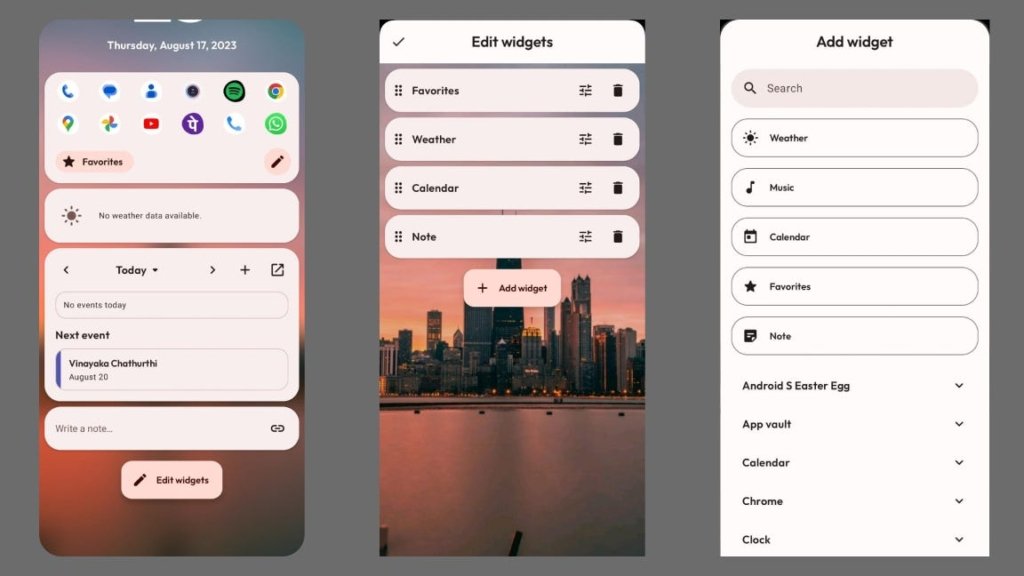
Kvaesitso is one of the more interesting choices in the current Android launcher market because it changes the role of the home screen.
Instead of treating search as something you use only when you cannot find an app, Kvaesitso puts search at the center of the experience. You can use it to find applications and contacts and perform other tasks without navigating through several layers of the interface.
This makes Kvaesitso one of the Best Android Launchers for productivity-focused users who prefer typing or searching rather than browsing through icons.
It is also open source and designed without advertising. The project does not depend on Google Play Services, which makes it particularly interesting for people who prefer alternative Android software ecosystems.
The tradeoff is obvious. If your idea of a great Android home screen involves beautiful widgets, elaborate icon packs, and a carefully arranged visual layout, Kvaesitso may feel too utilitarian.
But if you care more about getting something done quickly than decorating the home screen, it is one of the Best Android Launchers worth testing.
6: KISS Launcher for Resource-Conscious Phones
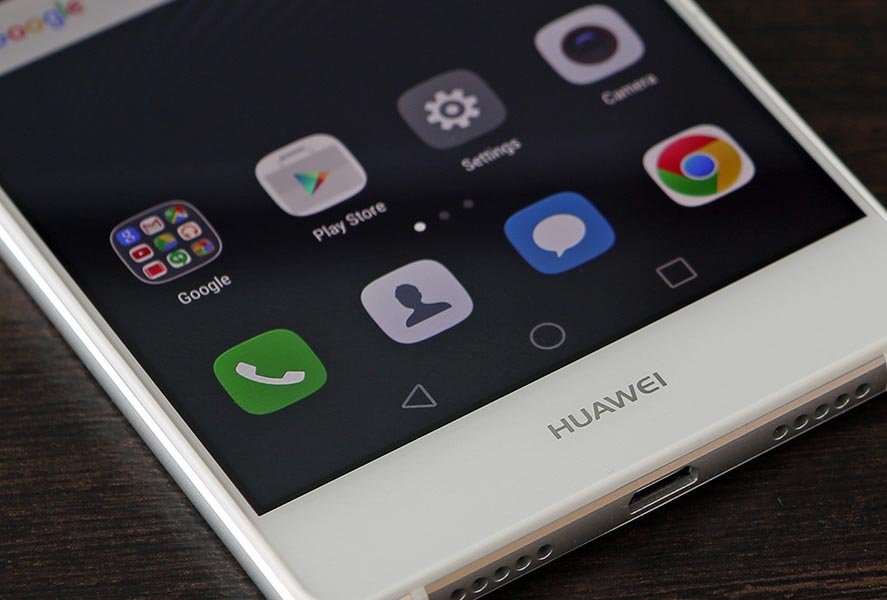
KISS Launcher takes minimalism even further. Its design is built around searching for applications and functions rather than maintaining a conventional home screen packed with icons.
The project describes KISS as a very small launcher designed to use minimal memory and emphasize speed and battery efficiency. Its Google Play listing also states that the launcher does not require an internet connection and keeps user data on the device.
That makes KISS one of the Best Android Launchers for people who want an extremely lightweight interface. It is particularly worth considering on older hardware, although users should remember that perceived performance depends on the entire phone, including its processor, memory, Android version, and background applications.
KISS is not trying to compete with feature-packed launchers on visual customization. Its appeal is that it gets out of the way.
7: Olauncher for a Distraction-Free Phone
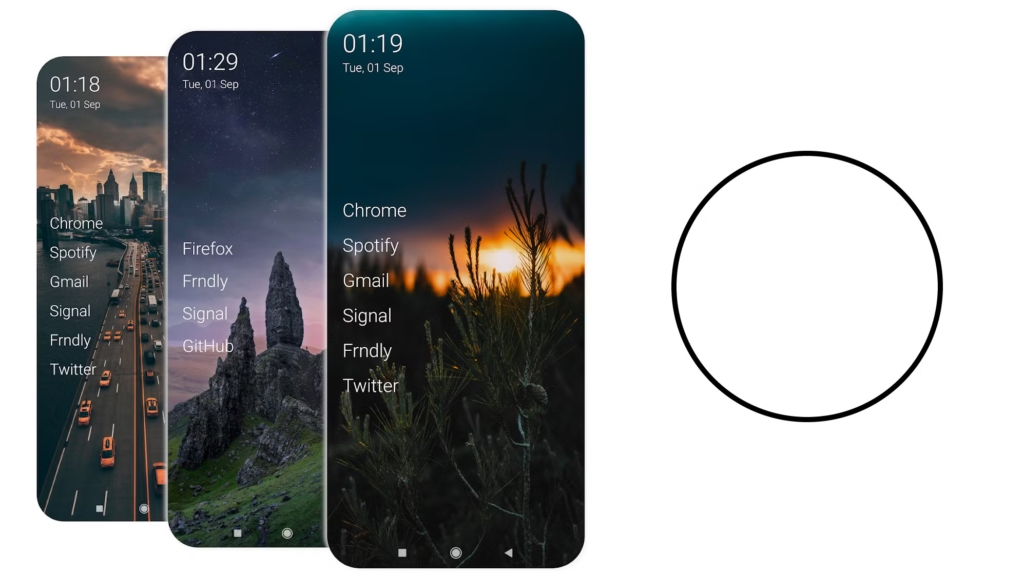
Olauncher takes a deliberately stripped-down approach to Android. It is designed for users who want fewer visual distractions and a simpler way to reach their applications.
Its current Google Play information highlights gesture navigation, minimal presentation, daily wallpaper options, and an optional accessibility service for actions such as turning the screen off with a double tap.
Olauncher belongs among the Best Android Launchers for a specific reason. It does not try to win by adding hundreds of features. It tries to make the home screen quieter.
That can be useful if you find yourself opening apps simply because their icons are sitting in front of you. A minimalist launcher will not solve every digital distraction problem, but reducing visual clutter can make the phone feel considerably less demanding.
8: Microsoft Launcher For Microsoft Users
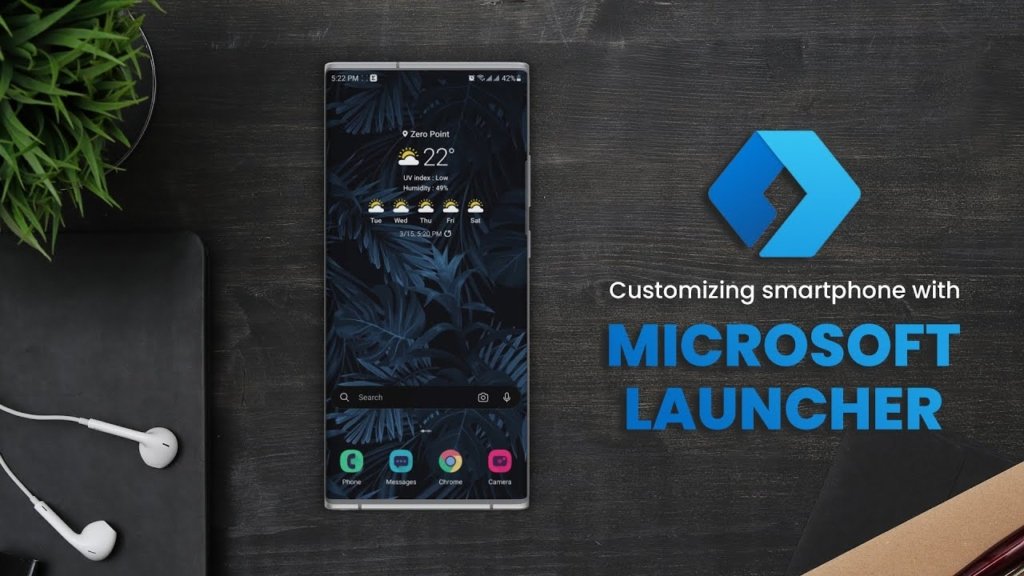
Microsoft Launcher makes the most sense for people who already use Microsoft’s ecosystem. Microsoft describes the launcher as a customizable Android home screen with access to features such as calendar information, to-do lists, Sticky Notes, and a personalized feed. It can also import an existing home screen layout to make switching less disruptive.
For someone who works across a Windows PC and Android phone, that integration can make Microsoft Launcher one of the Best Android Launchers to try.
It is not necessarily the right choice for someone who wants the smallest possible launcher or a purely Google-focused experience. Its real advantage comes from combining the Android home screen with Microsoft’s productivity services.
Microsoft Launcher supports Android 7.0 and later according to Microsoft’s current documentation, although compatibility with individual features can vary by device and Android version.
How to Choose the Best Android Launcher for Your Phone
The Best Android Launchers are not interchangeable. The right choice depends on what you dislike about your current home screen.
If you want automatic organization, Smart Launcher 6 is an obvious starting point. If you want minimalism and one-handed access, Niagara is a better fit.
If you want Pixel-style software with more freedom, try Lawnchair. If you want extensive customization, Nova remains worth considering.
If speed and simplicity matter more than visual design, KISS or Kvaesitso can be better choices. Microsoft Launcher makes more sense if your daily workflow already revolves around Microsoft services.
Foldable phone owners should pay particular attention to launchers that support different layouts for different displays. Smart Launcher has added dedicated foldable and landscape support, while other minimalist or flexible launchers can also provide an advantage over fixed grid-based interfaces.
What to Check Before Making a Launcher Your Default
Do not judge a launcher after five minutes. A launcher changes something you interact with every time you unlock your phone, so small annoyances become much more noticeable after several days.
Test your most important gestures first. Check whether your notification shade, app shortcuts, widgets, navigation gestures, and default home screen behavior work as expected on your particular phone.
This matters because Android manufacturers can implement navigation and system features differently. A launcher that works beautifully on one phone may behave differently on another.
You should also check how frequently the launcher is updated. Long-term maintenance matters because Android itself continues to change. The current situation with Nova illustrates why an established reputation is useful but should not be the only factor in choosing a launcher.
Finally, review permissions before enabling optional features. For example, some launchers use Android’s Accessibility API for convenience features such as screen locking through gestures. Smart Launcher states that this access is optional and says it does not collect data through that API.
Why the Best Android Launchers Are Different in 2026
The interesting thing about the Best Android Launchers in 2026 is that there is no longer one obvious definition of a great launcher.
Some focus on customization. Others focus on minimalism. Some focus on the center of the experience, while others concentrate on automatic organization or productivity.
That is good news for Android users. Instead of simply choosing a launcher because it has the most features, you can choose one that matches how you actually use your phone.
The Best Android Launchers are therefore the ones that remove friction from your daily routine rather than simply giving you another collection of settings to configure.
My Personal Opinion
The Best Android Launchers in 2026 cover a surprisingly wide range of needs. Smart Launcher 6 is a strong all-round option for automatic organization and customization, while Niagara is better suited to minimalist and one-handed use.
Lawnchair is a natural choice for Pixel fans who want more freedom, Nova remains a powerful customization tool despite its ownership transition, and Kvaesitso and KISS are excellent alternatives for users who prefer search and simplicity.
Olauncher is worth considering for a quieter home screen, while Microsoft Launcher remains relevant for people who rely heavily on Microsoft’s productivity ecosystem.
There is no single launcher that deserves to be called the Best Android launcher for everyone. The most sensible approach is to try the one that matches your priorities, use it for several days, and judge it by how naturally it fits into your everyday routine.